 Pharova
A full SOC shift, worked by AI analysts
Pharova connects to your SIEM, EDR and XDR, identity, email, firewall, threat intelligence and service desk through their APIs. Your logs stay where they are. Pharova collects alerts and searches your tools when it needs to.
Every alert triaged in seconds, with the evidence to prove it
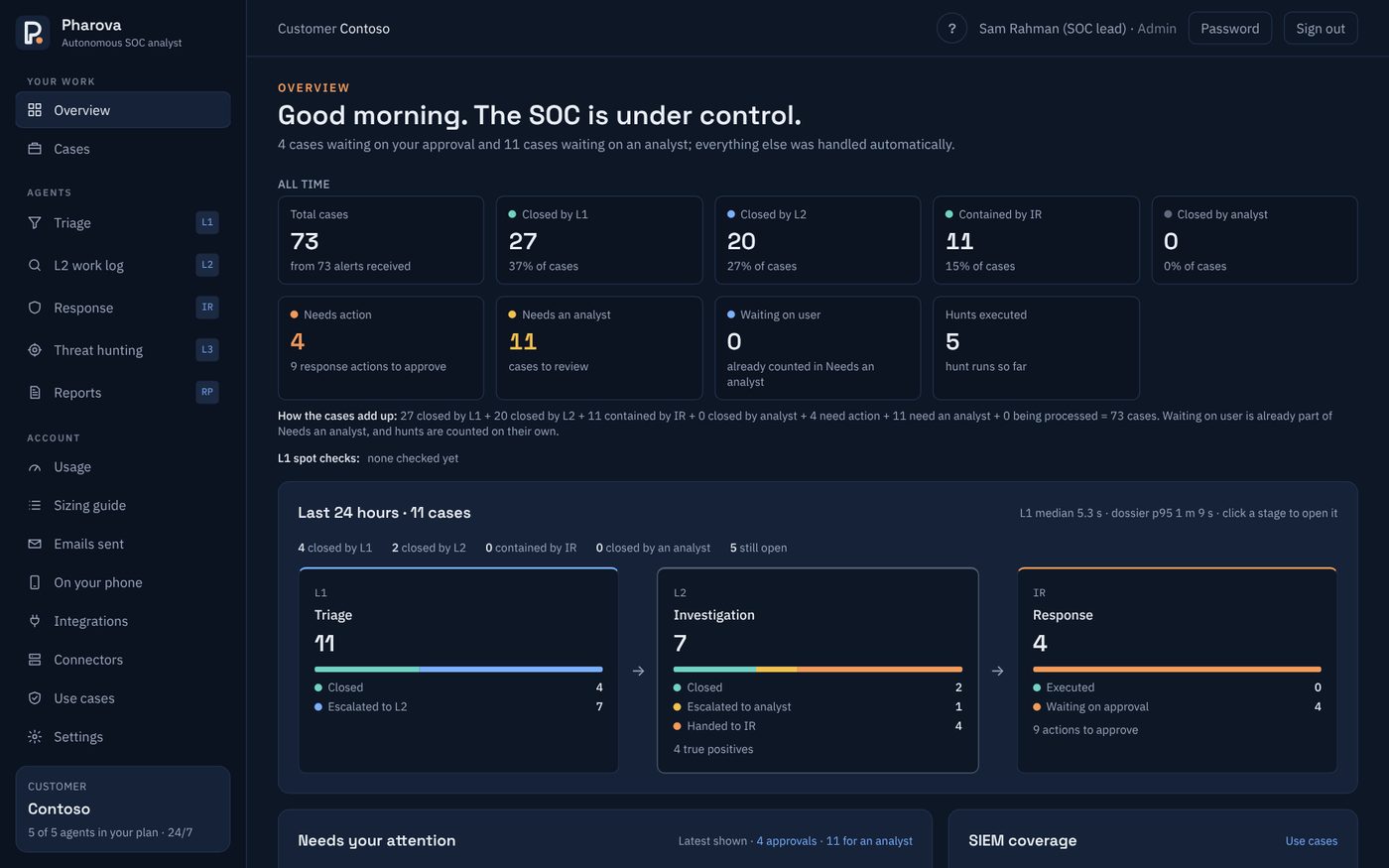
L1 looks at every alert as it arrives and decides whether it is real or noise. Clear noise is closed with its reasons. Anything that might be real goes to L2 with what L1 found.
- Extracts users, devices, addresses, domains, files and processes, and checks each against your threat intelligence and your known harmless activity.
- Closes an alert alone only when confidence is at or above your threshold, no VIP, privileged account or protected machine is involved, and no indicator is known-bad.
- A random sample of closures goes to a person every day, and any closure can be reopened with one click.
A multi-source investigation for every alert that matters
L2 investigates the way a senior analyst would: what happened before and after, who and what was involved, and how far it spread. It writes in plain words, and every finding links to the search and record behind it.
- Correlates 7 days of alerts from every tool for the same users, devices and addresses.
- Runs read-only searches in your SIEM: sign-ins, programs started on the device, and who else talked to a flagged address.
- When still unsure, asks the person involved "Was this you?" by email or Microsoft Teams.
- Every run is logged with why it ran, what it looked at, its verdict and how sure it was.
The right containment, prepared in the right tool
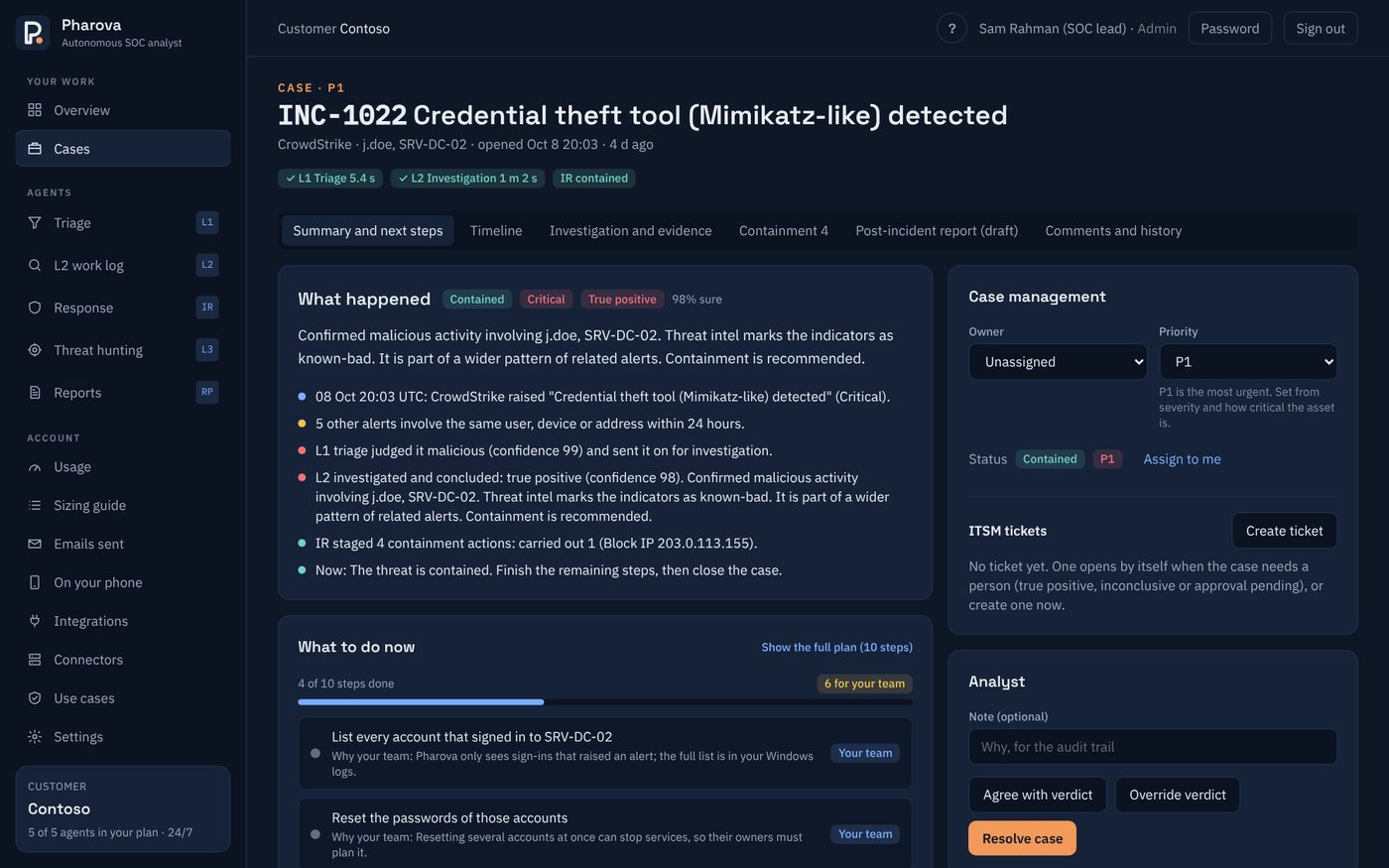
IR turns a confirmed attack into a phased response plan: contain, investigate, eradicate, recover, prevent and close. Each step says who does it, how, and how you know it is done.
| Action | Where it runs |
|---|---|
| Isolate a computer | Microsoft Defender, CrowdStrike, Palo Alto Cortex, Trend Micro, Sophos |
| Disable an account, sign out everywhere, reset password | Microsoft Entra ID, Okta, on-site Active Directory |
| Change an admin account's password | CyberArk Privileged Access Manager, so the vault keeps working |
| Block an IP address or domain | FortiGate, Palo Alto firewalls, Microsoft Defender or CrowdStrike indicators |
| Block a file from running | Microsoft Defender or CrowdStrike indicators |
| Delete a phishing email | Every Microsoft 365 mailbox |
Choose the response level
Suggest only
Steps are listed for your team, which carries them out. Pharova never runs them.
Approve
Steps are prepared in the right tool and run after one click.
Low-impact alone
Steps that can be undone run straight away. High-impact steps still need approval.
Set one level for all cases or a different level per severity. VIPs, privileged accounts, protected machines and steps that cannot be undone always need a person, at every level.
Finds what no alert caught
Alerts only fire when a tool spots something. The Threat Hunter looks back over weeks or months of alert history and SIEM records for patterns no single alert shows.
A ready-made hunt library
Rare programs spreading, attacker infrastructure reused, one identity targeted from several angles, persistence left behind after credential theft, and Office apps starting scripts. Findings are ranked by risk, and one click sends a finding to L2.
Hunts in plain words
Ask the way you would ask a colleague: "find systems running VNC", "anything dumping LSASS", "rare programs". Pharova writes the hunt. If it cannot see what you asked about, it says so and where to look instead.
Every device, however big the SIEM
A hunt asks your SIEM only for the records it needs over the whole look-back, from 30 to 365 days. Hunts are read-only and never change anything.
Least common programs
Finds programs that ran on only one or two devices in the whole estate, the classic way to spot new malware or unapproved tools, and rates known attacker tools high.
Everything a SOC needs to run the day
Cases
Related alerts are grouped into one case when they share a user, device, address or domain within 24 hours. Each case has a story, a response plan, a timeline and a post-incident report.
ServiceNow and Jira
Cases and tickets stay in step both ways. The response plan goes into the ticket, so engineers can work without a Pharova login.
Detection coverage
Measures your SIEM rules against the attacks that matter, across seven SIEMs, and shows which noisy rules to quiet and how.
Reporting
Daily, weekly, monthly or quarterly reports by email, with a short management summary written from the numbers only.
Microsoft Teams
Cases that need attention are posted to your SOC channel with one button that opens their approvals in Pharova.
Customer support
Raise requests from the Support page. Critical issues get a first reply within 30 minutes, around the clock.
Approve and review away from your desk
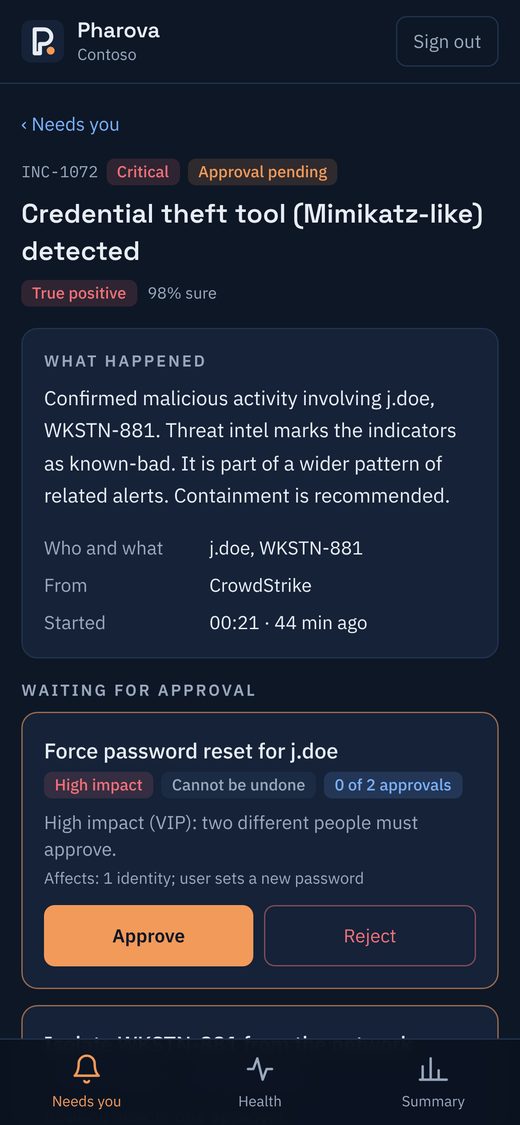
Pharova installs from the browser to your home screen, with no app store download. Each role gets what it needs: approvals for analysts, health for admins, the numbers for management.
- Push notifications when something needs you, once per item.
- High-impact approvals ask for your password again.
- Set up in seconds by scanning a QR code.
See Pharova on your own alerts
We connect to a copy of your tools in a guided session and show you every decision, with the evidence behind it.